Dev diary
One account for every game: how we carry your progress across devices


Contents · 8
All ARI GG ATO games share one account. It works in the browser and in our Android apps, it is built for iOS as well, and you never need it to start playing. If you sign in, your saves, GG Coins and achievements follow you to every device. In this dev diary entry we explain how one account for every game works in practice, and which rules we set for ourselves.
You start as a guest
Open one of our games and you are playing. There is no form and no age question. Behind the scenes we create a random guest ID and store your progress, achievements, leaderboard scores and GG Coins with it, plus a randomly generated player name in the style of "Swift Hunter 123".
A guest is a real profile with two limits. It is tied to the device and browser you started on, and if it is not used for 12 months we delete it automatically. You can also delete your guest data yourself at any time. Why saves that live only in one browser are fragile is the topic of do browser games save your progress?
Signing in without a password
An ARI GG ATO account has no password. You enter your email address and we send a message with a sign-in link and a 6-digit code. Tap the link, or type the code where you started, which is the practical way inside an installed app. Link and code are valid for 20 minutes and work once. Requesting a new mail cancels the older ones, and a code locks after five wrong attempts.
The trade-off is plain. There is no password to forget or reuse, and your email inbox becomes the key. Whoever can read your mail can sign in, so keep that inbox secure.

You can also continue with Google or Apple. Both lead into the same ARI GG ATO account, not into a separate one. The provider confirms your email address and gives us an identifier, and that is all we keep: we do not store your name or profile picture from the provider, and we never see your Google or Apple password. With Apple you can hide your real address behind a relay address. The rule for our apps: Google sign-in on Android and iOS, plus Apple sign-in on iOS.
What happens to your guest progress
When you create a new account, everything the guest collected moves into it. Signing in to an account that already exists merges the two: achievements and GG Coins are combined, with the same achievement never paying twice, and on each leaderboard the better score counts.
Saves are the delicate part, because two different saves cannot be blended. Our rule: if the account already has a save for a game, the account's save stays. The guest's save only moves over for games the account has no save for yet. Before a game drops guest progress on your device, it asks, and you can cancel and keep playing as a guest.
Signing out gets the same care. Your account's progress is never handed to whoever plays next on that device. It is set aside, the game starts fresh for a new guest, and it comes back when you sign in on that device again.
One account for every game, one save per game
The account itself is small: your sign-in, your player name and your GG Coins. It is shared by all games. Everything inside a game, such as levels, heroes or items, is that game's own save, and only that game reads it.
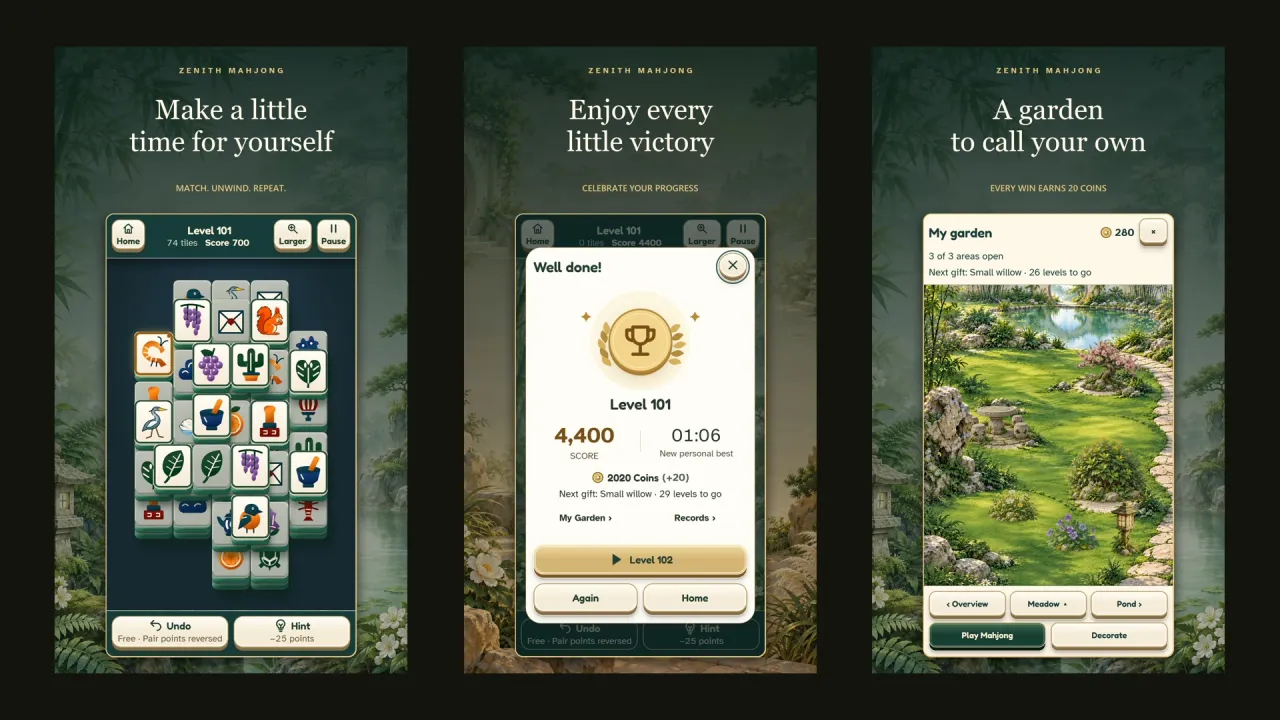
The browser version and the app of the same game share one save on our server. That is why a game like Zenith Mahjong, which is on Google Play and playable in the browser, can keep your progress with you on other devices. If two devices have saved different progress, the server does not silently overwrite one with the other. It reports the conflict, and the game decides or asks you.
Leaderboards and achievements run through the same server, so scores from the browser and from the apps land on the same board. We run all of this on our own server in a data center in Germany, with nightly encrypted backups, not on a third-party game backend.
A rule that came from a bug
One rule in our handbook for the teams comes from a real bug: exactly one cloud save per game. In October 2026, one of our games ran two save mechanisms side by side. They did not know about each other and kept overwriting each other's version, which caused constant conflicts and lost offline rewards. Since then, every game picks one method and removes the other.
Age is asked once, when an account is created
Guests are never asked their age. Creating an account takes one question: month and year of birth, with nothing preselected. We store month and year, never the day, so your age group moves up by itself and we do not have to ask again.
Accounts are available from 16, and from 13 to 15 with a parent's consent. Anyone younger keeps playing as a guest (in South Korea the limit is 14), and that device then shows no ads.
Deleting is part of the design
Every game has two clearly separated options in its settings. "Delete game progress" removes your save, quest progress and leaderboard entries for that one game on all devices, and keeps your account, purchases, GG Coins and achievements. "Delete account" removes the account and its data in all games. Guests have "Delete guest data" instead.
Account deletion starts immediately, and deleted data is gone from our backups within 30 days at the latest. What we have to keep are order and billing records, for seven years, because accounting law requires it, and reports and moderation decisions for 12 months. If you only want a copy of your data, Settings has "Download my data", which gives you a JSON file.
Questions
Do I need an account to play ARI GG ATO games?
No. Every game starts in guest mode. An account is for keeping your progress across devices, appearing in the GG ranking and spending GG Coins in the shop.
Is the account free?
Yes. Creating an account costs nothing and earns you 100 GG Coins. What those are for is explained in GG Coins explained.
Can I sign in with Google on my phone and by email on my laptop?
Yes, as long as both lead to the same account. We find your account by the Google or Apple identifier from an earlier sign-in, otherwise by the confirmed email address. You can connect or disconnect Google and Apple in the hub under Settings, "Sign-in methods".
What if I ended up with two accounts?
That can happen if you used different email addresses in the browser and in an app. Accounts are never merged automatically. Write to us through the help page at ariggato.com/help, and our support can merge two accounts that belong to the same person.
Does signing out delete my progress?
No. Your progress stays with your account on our server. The device continues with a fresh guest profile, and your progress returns when you sign in again.


Done reading? Try it yourself.
Every game with one account – free. Collect GG Coins and climb the ranking.